
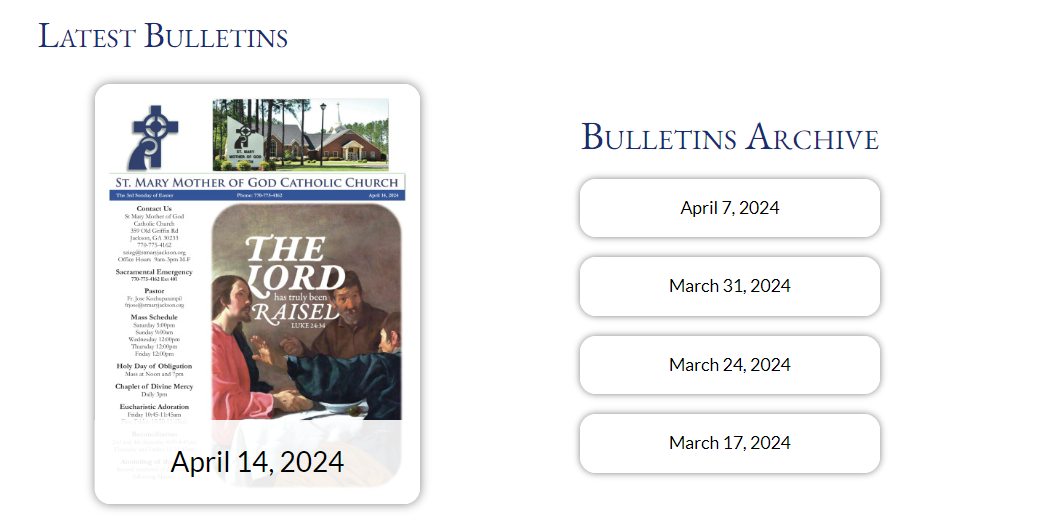
The Discover Mass widget is provided by Discover Mass directly and has some CSS applied to it. The widget uses their code and requires them to provide a data-key for the specific parish. We have to reach out to them each time we need to set one up.
The widget is also more limited than the LPi widget. I am unable to load more pictures or bulletins. There can be one cover and up to 4 archived in the list.
This may change in the future, they mentioned setting up an API for me to use.
For Subpages or articles:
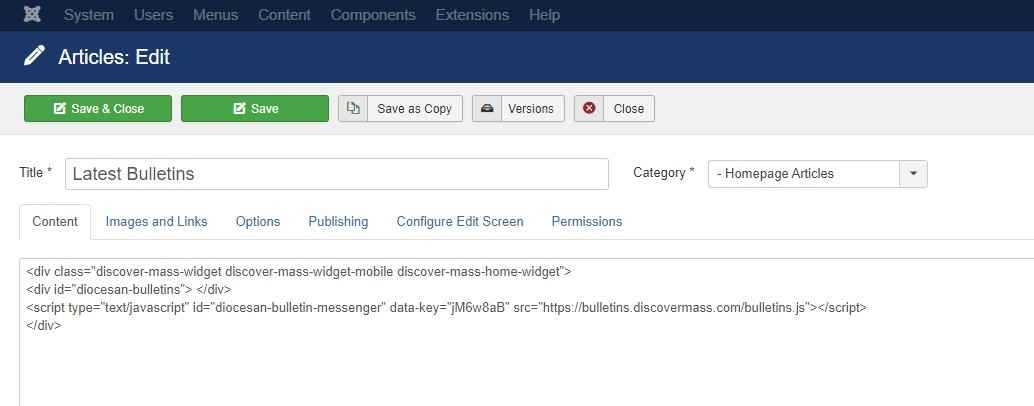
<div class="discover-mass-widget discover-mass-widget-mobile">
     <div id="diocesan-bulletins"> </div>
     <script type="text/javascript" id="diocesan-bulletin-messenger" data-key="jM6w8aB" src="https://bulletins.discovermass.com/bulletins.js"></script>
</div>
For Homepages, Particles & Modules:
<div id="diocesan-bulletins"> </div>
<script type="text/javascript" id="diocesan-bulletin-messenger" data-key="jM6w8aB" src="https://bulletins.discovermass.com/bulletins.js"></script>
discover-mass-widget discover-mass-widget-mobile discover-mass-home-widget
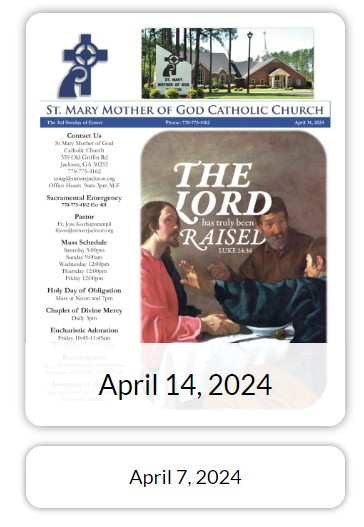
How to set up the Discover Mass bulletin widget
The first step is to contact Diocesan to get the parish data-key code. You can put in placeholder code until they generate the correct data-key.
The data key is then placed in the script tag of the code:
<div id="diocesan-bulletins"> </div>
<script type="text/javascript" id="diocesan-bulletin-messenger" data-key="jM6w8aB" src="https://bulletins.discovermass.com/bulletins.js"></script>
Here is a template for that email:
Hello,

This is XXXX with Solutio Software.

I am working on behalf of X(location or URL of the Parish)X and we are creating a new website for them.

Can you provide me data-key for their bulletin widget?

<div id="diocesan-bulletins"> </div>
<script type="text/javascript" id="diocesan-bulletin-messenger" data-key="jM6w8aB" src="https://bulletins.discovermass.com/bulletins.js"></script>

Let me know if you have any questions.

Thanks,
- XXXXXX
How to add it to an article
The process is the same for any other script tag except you need to add the classes you want to the <div> container and swap out the data-key in the script tag.
Here is the example code for subpages with the information that needs to be adjusted in bold.
<div class="discover-mass-widget discover-mass-widget-mobile">
     <div id="diocesan-bulletins"> </div>
     <script type="text/javascript" id="diocesan-bulletin-messenger" data-key="jM6w8aB" src="https://bulletins.discovermass.com/bulletins.js"></script>
</div>
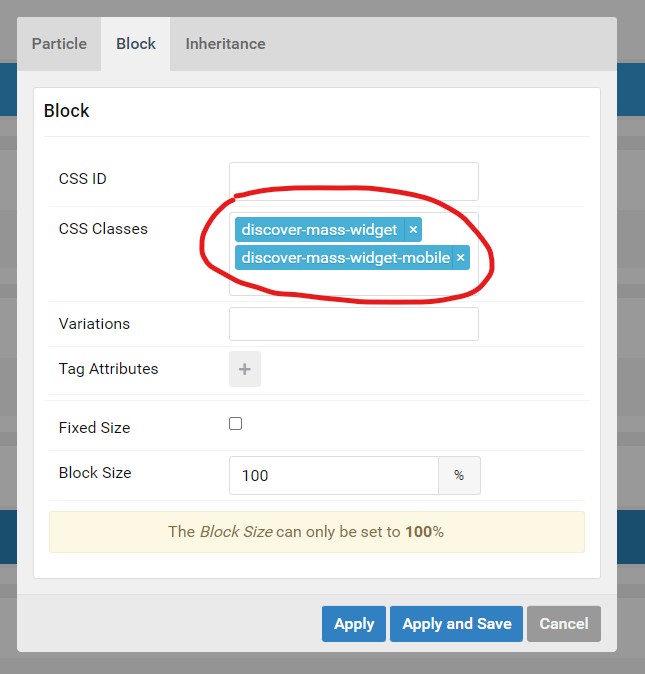
How to add the widget to a particle or module
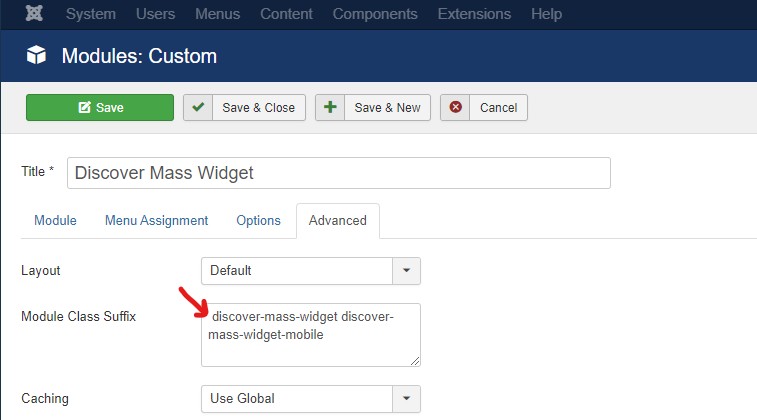
To add the widget to a module or particle you can use the same code as in the article version or move the classes to the block section of the particle or under the advanced tab of the module. The only different thing is where the classes go.
<div id="diocesan-bulletins"> </div>
<script type="text/javascript" id="diocesan-bulletin-messenger" data-key="jM6w8aB" src="https://bulletins.discovermass.com/bulletins.js"></script>
discover-mass-widget discover-mass-widget-mobile
|
Make sure to add a space before the first class.
|
 |
How to customize the Discover Mass widget
The widget can be styled with CSS, and the structure of the HTML can not be changed. The widget uses a few variables that can be adjusted. Unlike the LPi widget, these variables are added to the body tag like every other style.
--dm-big-bulletin-size: clamp(280px, 20vw, 900px);
--dm-bulletin-border-radius: 1rem;
--dm-title-color: black;
--dm-widget-font-size: clamp(1.5rem, 1.75vw, 2rem);
--dm-widget-archive-size: clamp(1.1rem, 1.25vw, 1.6rem);