
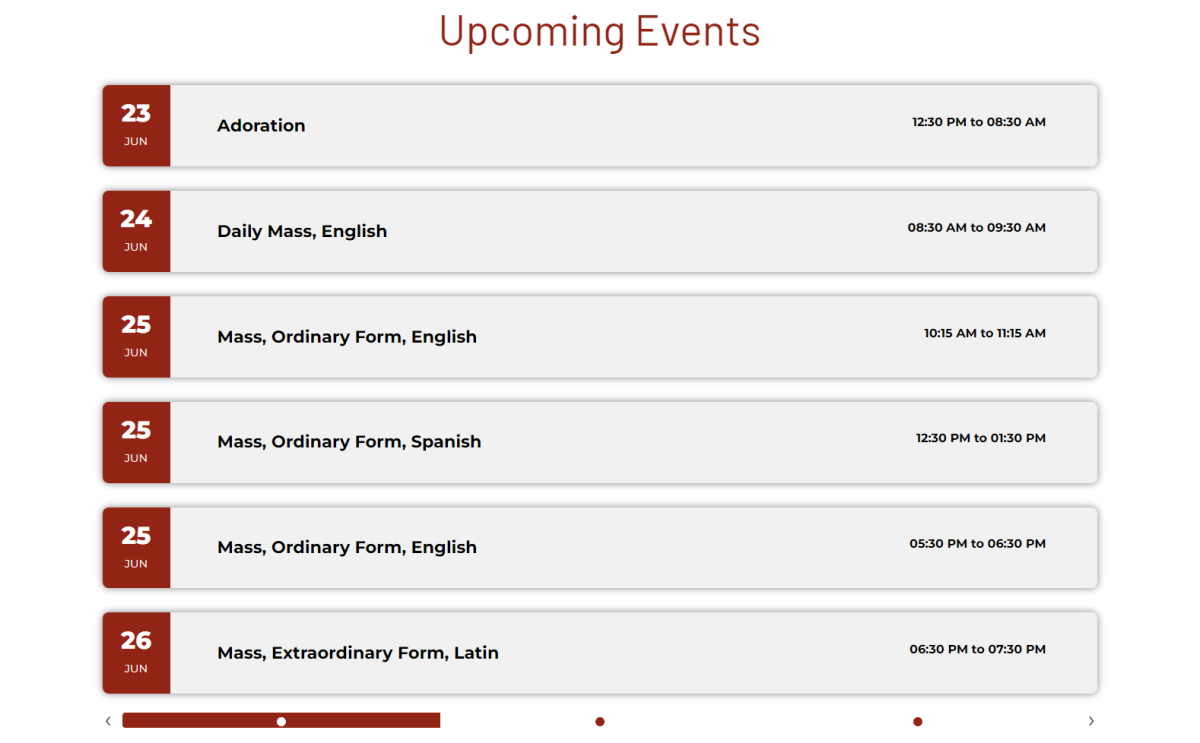
The Rok Mini List uses the Rok Mini Events module and is displayed with a module instance particle in Gantry 5.
To Set up the module:
1. Follow the rok mini setup instructions on SOP: Instructions
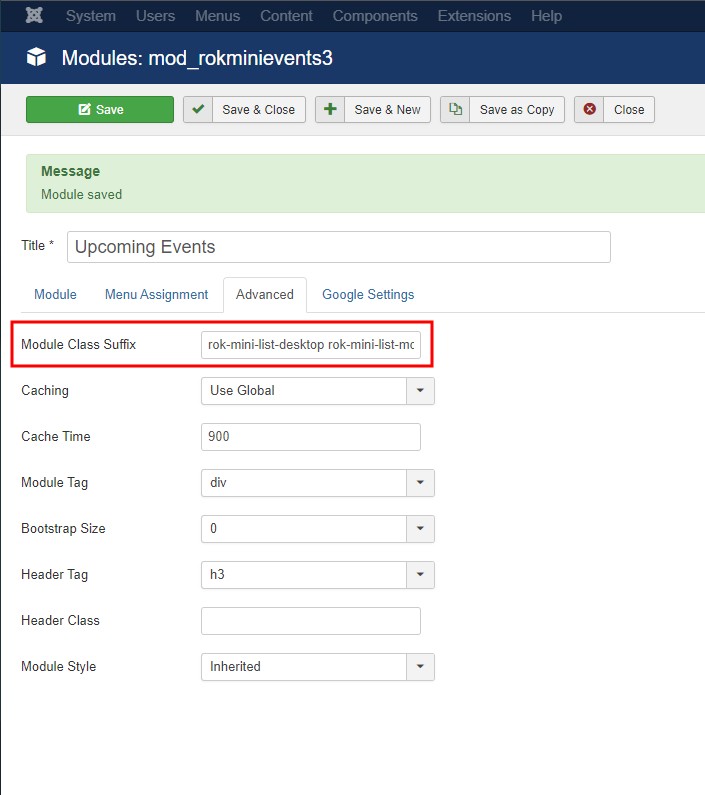
2. Within the module, under the 'advanced' tab, add the rok-mini-list classes to the 'Module Class Suffix' box
rok-mini-list-desktop rok-mini-list-mobile
Variables can be added to the override CSS file to edit the calendar look.
Here is a list of all the variables that can be used to edit the calendar
Use the inspector to find the variables you need
    --rok-mini-border-radius: 0.5rem;
    --rok-mini-g-title-size: clamp(2.5rem, 3.5vw, 5rem);
    --rok-mini-title-weight: bold;
    --rok-mini-text-weight: bold;
    --rok-mini-title-size-mobile: 1.1rem;
    --rok-mini-title-color: var(--default-black);
    --rok-mini-box-shadow: none;
    --rok-mini-time-color: var(--default-black);
    --rok-mini-title-weight-mobile: bold;
    --rok-mini-time-weight-mobile: normal;
    --rok-mini-time-size-mobile: 1rem;
    --rok-mini-title-size: clamp(1.1rem, 1.4vw, 2.2rem);
    --rok-mini-day-weight: 800;
    --rok-mini-month-size: 1rem;
    --rok-mini-day-size: 2rem;
    --rok-mini-list-background: #f1f1f1;
    --rok-mini-numbers: var(--default-white);
    --rok-mini-date-font: var(var(--body-font-family));
    --rok-mini-g-title-font: var(var(--title-font-family));
    --rok-mini-g-title-color: var(var(--primary-color));
    --rok-mini-g-title-weight: 400;